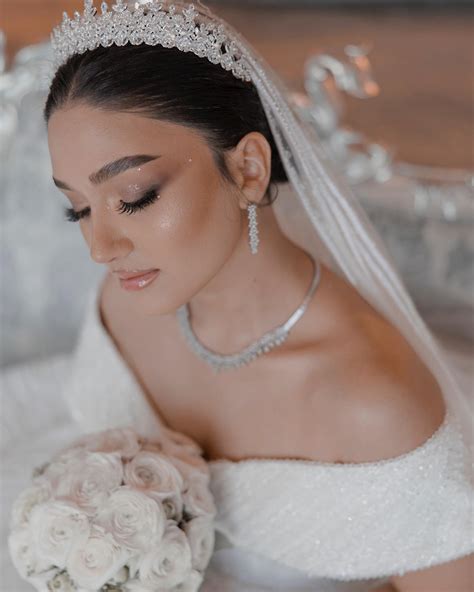



Which editing tools best enhance artistry and define elegance in beauty blog visuals?
In the vibrant world of beauty blogging, visuals are paramount. They are the initial captivating hook, the silent storyteller, and the ultimate definer of your brand’s aesthetic. To truly stand out, beauty bloggers must master the art of photo editing, transforming raw images into polished, elegant, and artistic masterpieces. But with a myriad of tools available, which ones truly help sculpt vision into reality, enhancing natural beauty while maintaining an authentic touch?
The Foundation of Visual Appeal: Why Editing Matters
Before diving into specific tools, it’s crucial to understand the ‘why.’ Editing isn’t about creating false realities; it’s about optimizing lighting, correcting colors, refining textures, and composing images that resonate with your audience. Elegant visuals evoke trust, professionalism, and inspiration. Artistry, on the other hand, infuses personality, creativity, and a unique stylistic signature into every shot, elevating a simple product photo to a piece of visual storytelling.
The right editing approach can turn a good photo into a great one, ensuring your product swatches pop, your makeup looks are vibrant yet natural, and your skincare results appear radiant without being artificial. It’s about finding the perfect balance between enhancement and authenticity, making your content not just seen, but felt.
Top-Tier Desktop Editing Software for Professionals
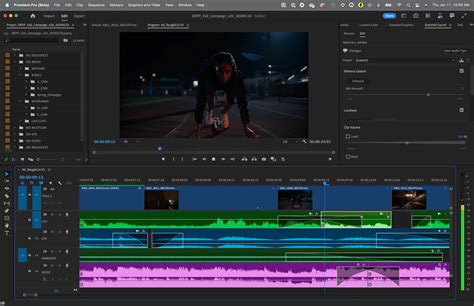
For those seeking comprehensive control and professional-grade results, desktop software remains the gold standard. These tools offer an unparalleled depth of features for intricate retouching, advanced color grading, and precise adjustments.
- Adobe Photoshop: The industry benchmark for image manipulation. Photoshop offers layers, masks, advanced retouching brushes, and intricate color correction capabilities. It’s perfect for detailed skin smoothing, precise background removal, object manipulation, and creating truly artistic compositions. While it has a learning curve, its power is unmatched for defining an elegant and distinct aesthetic.
- Adobe Lightroom: Ideal for photo organization, batch editing, and comprehensive color grading. Lightroom excels at non-destructive editing, allowing you to fine-tune exposure, contrast, white balance, and saturation across multiple images consistently. Its powerful brush tools enable targeted adjustments, making skin tones glow and products shine with elegance and natural appeal.
Accessible & Intuitive Mobile Editing Apps
For on-the-go editing or those who prefer a streamlined workflow, mobile applications have come a long way, offering powerful features in a user-friendly interface. Many beauty bloggers rely on these for quick, high-quality edits.
- VSCO: Renowned for its beautiful, film-inspired presets that instantly elevate the mood and aesthetic of an image. VSCO also provides essential editing tools for exposure, contrast, and saturation, making it perfect for achieving a consistent, elegant visual style with minimal effort.
- Facetune/Facetune 2: Specifically designed for portrait and selfie enhancement, Facetune offers intuitive tools for smoothing skin, whitening teeth, reshaping features, and brightening eyes. When used subtly, it can refine a look, enhancing artistry without appearing overly edited.
- Snapseed: A powerful and free app by Google, Snapseed offers a wide range of tools from selective adjustments (brushing effects onto specific areas) to healing, expanding, and perspective correction. It’s excellent for fine-tuning details and adding a professional polish.
- PicsArt: More than just an editor, PicsArt is a creative suite offering photo editing, collage making, drawing tools, and a vast library of filters and stickers. It’s fantastic for adding artistic flourishes, graphic elements, and creating engaging social media content.
Crafting Elegance: Specific Features to Focus On
Regardless of the tool you choose, certain features are paramount for enhancing artistry and defining elegance:
- Color Grading & Correction: Achieving true-to-life product colors, vibrant yet balanced makeup shades, and consistent skin tones is crucial. Tools like Lightroom’s HSL (Hue, Saturation, Luminance) panel or Photoshop’s Selective Color and Curves adjustments allow for precise control.
- Subtle Retouching: Elegance lies in refinement, not reconstruction. Focus on gentle skin smoothing to even out texture, removing blemishes, and brightening the under-eye area without making the skin look plastic. The healing brush in Photoshop or Facetune’s smoothing tools are excellent for this.
- Lighting & Contrast: Properly exposed and contrasted images look professional. Adjust highlights, shadows, whites, and blacks to create depth and clarity, ensuring your product stands out.
- Sharpening & Clarity: These tools enhance detail, making textures crisp and features defined. Use them judiciously to avoid an artificial, over-processed look.
- Background Enhancement: A clean, elegant background helps your subject shine. Tools for blurring, desaturating, or even replacing backgrounds can dramatically improve your visuals.
Harmonizing Artistry and Authenticity
The true mark of a skilled beauty blogger is the ability to infuse artistry and elegance without sacrificing authenticity. Here are a few best practices:
- Consistency is Key: Develop a signature editing style. Use consistent filters, color palettes, and retouching approaches across all your visuals to build a recognizable brand identity.
- Less is Often More: Over-editing can deter your audience. Strive for natural enhancement that amplifies existing beauty rather than creating an illusion.
- Understand Your Audience: Different audiences respond to different aesthetics. Tailor your editing style to resonate with your target demographic while staying true to your brand.
- Practice and Experiment: Mastery comes with practice. Don’t be afraid to experiment with different tools and techniques to discover what works best for your unique vision.
Ultimately, the best editing tools are those that empower you to realize your artistic vision while maintaining the integrity and elegance of your beauty content. Whether you opt for the comprehensive power of desktop software or the convenience of mobile apps, a discerning eye and a commitment to quality will always be your most invaluable assets. Choose tools that align with your skill level and creative goals, and watch your beauty blog visuals transform into works of art that captivate and inspire.