

How to create engaging, elegant artistry tutorials with high-quality visuals?
1. Laying the Foundation: Strategic Planning for Impact
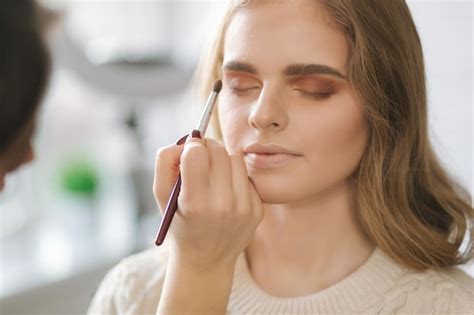
Before you even pick up a brush or hit record, the most crucial step in creating an exceptional artistry tutorial is thorough planning. A well-thought-out concept ensures a coherent narrative and a smooth production process. Begin by defining your tutorial’s specific goal and target audience. Is it a beginner-friendly eyeshadow look, an advanced contouring technique, or a creative special effects makeup? Understanding your audience dictates the level of detail, pacing, and language you’ll use.
Develop a detailed script or a comprehensive outline, breaking down each step of your artistry. Consider the products you’ll feature, the techniques you’ll demonstrate, and any tips or tricks you want to share. Storyboarding key shots can also be incredibly helpful, visualizing transitions, close-ups, and the overall flow of your video. This preparation not only streamlines filming but also ensures your tutorial remains focused, informative, and engaging for your viewers.
2. Mastering the Visuals: Photography and Videography Essentials
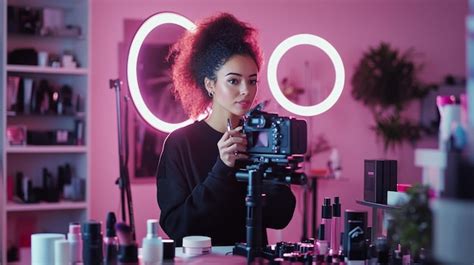
High-quality visuals are the cornerstone of an elegant artistry tutorial. Viewers are drawn to crisp, well-lit, and aesthetically pleasing content. The first and most critical element is lighting. Natural light, soft and diffused, is often the most flattering for makeup tutorials. Position yourself facing a window, ensuring even illumination. If natural light isn’t sufficient or consistent, invest in a good ring light or softboxes to eliminate harsh shadows and brighten your subject evenly.
Your camera choice also plays a significant role. While modern smartphones offer impressive quality, a DSLR or mirrorless camera provides greater control over focus, depth of field, and overall image fidelity. Regardless of your equipment, ensure your camera is stable, ideally on a tripod, to avoid shaky footage. Pay attention to your background; a clean, uncluttered, and aesthetically pleasing backdrop enhances the elegance of your tutorial without distracting from your artistry. Always record in the highest possible resolution and frame rate your device allows for a polished, professional look.
3. Crafting Engaging Content: Beyond Just Showing Steps
An engaging tutorial goes beyond merely demonstrating steps; it tells a story, educates, and entertains. Pacing is key: avoid overly long, slow segments, but also don’t rush through complex techniques. Clear, concise verbal instructions are vital, whether through a direct voice-over or on-screen text. Speak clearly and confidently, explaining not just ‘what’ you’re doing, but ‘why’ you’re doing it, offering valuable insights into product choice, application techniques, and common pitfalls.
Incorporate your unique personality to make your tutorial memorable. Authenticity resonates with viewers. Use close-ups strategically to highlight intricate details and specific product application. Adding royalty-free background music can elevate the mood and maintain viewer interest, just ensure it complements your tone and isn’t distracting. Consider adding text overlays for product names, shade numbers, or key tips to reinforce information visually.
4. The Art of Post-Production: Polishing Your Masterpiece
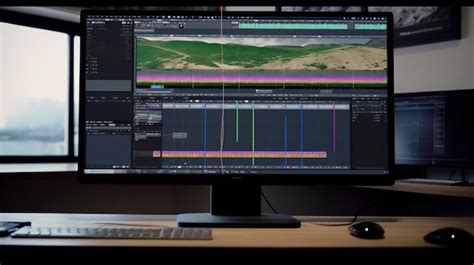
Editing is where your raw footage transforms into a cohesive, elegant tutorial. Choose a user-friendly video editing software (e.g., DaVinci Resolve, Adobe Premiere Pro, Final Cut Pro, or even CapCut for mobile). Focus on trimming unnecessary pauses and errors, ensuring smooth transitions between clips. Color correction and grading are crucial for achieving a professional, consistent look; adjust white balance, exposure, and saturation to make your visuals pop.
Synchronize your audio carefully, ensuring your voice-over or direct speech is clear and free of background noise. Balance audio levels for music and speech. Add an engaging intro and outro that features your branding and calls to action (e.g., subscribe, follow). Incorporate any graphics, animations, or text overlays discussed in the planning phase. The goal is to create a seamless viewing experience that keeps your audience captivated from start to finish.
5. Presentation and Promotion: Sharing Your Artistry
Once your masterpiece is complete, its presentation and promotion are crucial for reaching your audience. A compelling thumbnail is your first impression; design it to be eye-catching, high-resolution, and reflective of your tutorial’s content. Use clear, vibrant imagery, and consider adding text overlays for maximum impact.
Craft an informative title and description, incorporating relevant keywords to improve searchability. Share your tutorial across all your social media platforms, engaging with your audience and encouraging comments, likes, and shares. Respond to feedback and interact with your community. By consistently creating high-quality, engaging, and elegant artistry tutorials, you’ll build a loyal following and establish yourself as a trusted voice in the beauty community.