



How to optimize Pro Artist Portfolio for elegant, high-resolution digital art presentation?
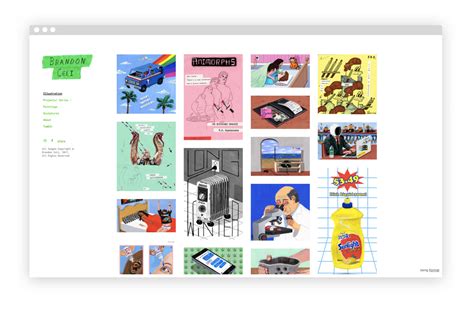
In the digital age, a professional artist’s portfolio is more than just a collection of images; it’s a meticulously curated showcase designed to impress, inform, and engage. For digital artists, presenting high-resolution work elegantly requires a strategic approach, blending technical precision with artistic sensibility. An optimized portfolio not only highlights your talent but also demonstrates your professionalism and attention to detail, making a lasting impression on potential clients, galleries, and collaborators.
Choosing the Right Platform for Your Digital Art
The foundation of an elegant, high-resolution portfolio begins with selecting the appropriate platform. Generic website builders might offer ease of use, but specialized portfolio platforms (like ArtStation, Behance, or dedicated Squarespace/WordPress themes) often provide features tailored for artists, including robust image handling, responsive design, and integration options. Consider platforms that allow for full-width displays, zoom functionalities, and minimal branding interference to let your art truly shine.

Dedicated Portfolio Websites vs. Social Media
While social media platforms like Instagram and Twitter are excellent for reach and daily engagement, they are often not ideal for presenting high-resolution artwork in its best light due to aggressive compression and limited customization. A dedicated website or professional portfolio platform offers unparalleled control over image quality, presentation, and user experience, creating a more refined and professional impression.
Mastering Image Preparation for Optimal Display
The quality of your source files directly impacts the final presentation. High-resolution means more than just large dimensions; it encompasses clarity, color accuracy, and appropriate file management.
Resolution and Dimensions
Aim for images that are large enough to be displayed beautifully on a range of screens, including large monitors and high-DPI devices, without pixelation. A common recommendation is to upload images with a minimum width of 1920px (or even 2560px for full-width displays) at 72 DPI, ensuring they look sharp even when zoomed in. Always retain your original, highest-resolution files separately.
File Formats and Compression
JPEG is widely accepted for its balance of quality and file size, but consider PNG for images with sharp lines, text, or transparency, as it offers lossless compression. WebP is another excellent, modern option offering superior compression. Experiment with compression settings to find the sweet spot where file size is reduced without visibly degrading image quality. Excessive compression leads to artifacts and a muddy appearance.
Color Accuracy and Calibration
Calibrating your monitor regularly is crucial to ensure that the colors you see while working are accurate to how they will appear to others. When saving files for the web, convert them to sRGB, which is the standard color space for web browsers, preventing color shifts on different devices.

Designing for Impact and User Experience
Beyond the technical aspects, how your art is framed within the portfolio significantly influences its impact.
Clean Layout and Navigation
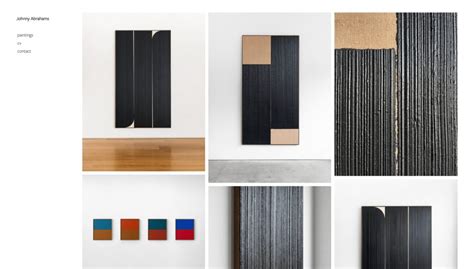
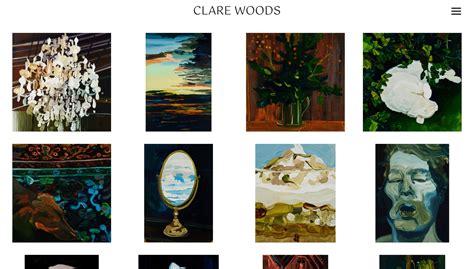
A minimalist design with ample white space draws attention to your artwork, not the website itself. Intuitive navigation ensures visitors can easily browse your pieces, filter by category, or find specific projects without frustration. Simplicity often equates to sophistication.
Responsive Design is Non-Negotiable
Your portfolio must look impeccable and function flawlessly on all devices—desktops, laptops, tablets, and smartphones. A responsive design automatically adjusts the layout and image sizes to fit the screen, providing a consistent high-quality viewing experience for every visitor.
Zoom and Detail Views
For high-resolution digital art, the ability for viewers to zoom in on details is paramount. This feature allows potential clients to appreciate your intricate brushwork, texture, and precision, adding depth to their understanding of your skill. Ensure your platform supports a smooth, high-quality zoom function.
Consistent Branding
Your portfolio is an extension of your artistic brand. Maintain a consistent aesthetic across your website, including typography, color palette, and a subtle watermark or signature. This reinforces your identity and makes your portfolio memorable.
Protecting Your Work While Showcasing It
While you want to display your art at its best, protecting it from unauthorized use is also important. Subtle watermarks or copyright notices strategically placed on images can deter theft without detracting from the art itself. Many platforms also offer features to disable right-clicking to download images, though this isn’t foolproof.
SEO and Visibility: Getting Your Portfolio Seen
An exquisite portfolio is only effective if people can find it. Optimize your website for search engines by using relevant keywords in your page titles, descriptions, image alt tags, and content. Create a blog to share insights, tutorials, or behind-the-scenes content, further enhancing your SEO and establishing you as an authority in your niche.
The Continuous Evolution of Your Portfolio
Your artistic journey is ongoing, and so should be your portfolio. Regularly update it with your latest and strongest work, remove outdated pieces, and refine descriptions. Solicit feedback from peers to identify areas for improvement in both presentation and content.
Optimizing your digital art portfolio for elegant, high-resolution presentation is an investment in your professional future. By carefully choosing your platform, meticulously preparing your images, designing for impact, and considering viewer experience, you create a powerful testament to your artistic capabilities that truly stands out in a crowded digital world. A well-crafted portfolio isn’t just about showing what you can do; it’s about telling your story with every pixel.